
Company Wise Detail: How One Portal Can Manage Multiple Companies’ IT Assets & Tickets
Managing IT assets and support tickets across multiple companies — or multiple branches of the same enterprise — has traditionally meant logging into separate portals, exporting separate spreadsheets, and manually compiling reports. As a result, teams waste hours, create blind spots, and expose themselves to avoidable compliance risk.
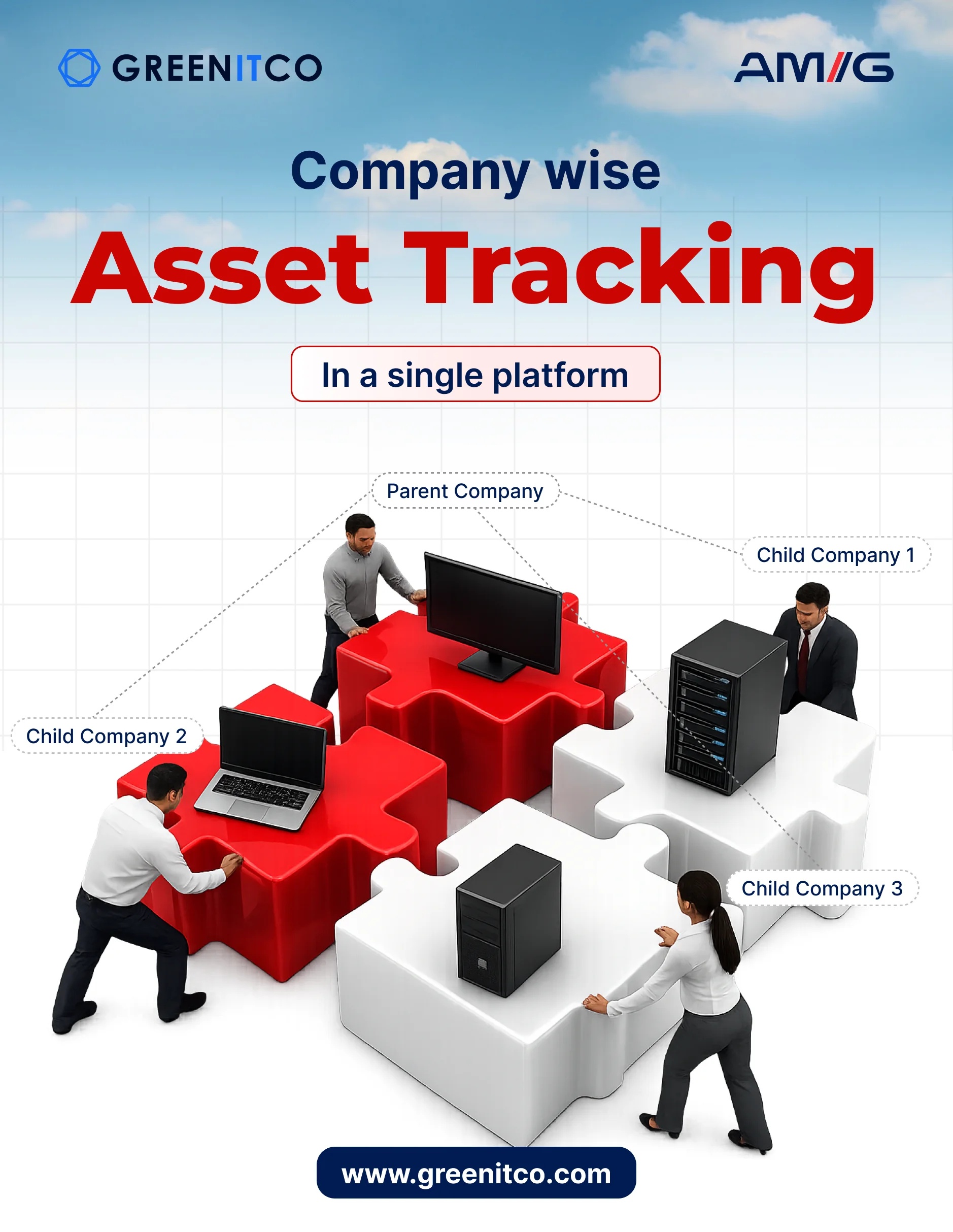
With ITM’s company wise detail feature, however, that entire process collapses into a single, unified dashboard. In one place, you see every company’s tickets, assets, hardware inventory, and software licenses — segregated by company, but accessible at a glance.

What Does “Company Wise Detail” Mean in IT Asset Management?
In the context of IT Asset Management (ITAM), company wise detail refers to the ability to view, track, and manage assets and helpdesk tickets organized by individual company entities — all from within one portal.
This is especially critical for:
- Enterprise groups managing IT for multiple subsidiaries (for example, a parent company overseeing 5 regional businesses)
- Managed Service Providers (MSPs) handling IT support for multiple client companies
- Conglomerates with separate HR, Finance, and Operations entities, each carrying their own IT estate
- Multi-branch organizations that want consolidated reporting but segregated operational control
Without company wise detail, your IT team toggles between portals, maintains separate spreadsheets, and guesses which company a ticket or asset belongs to. With it, however, everything stays organized, filterable, and reportable by company — in real time.
The Problem: Managing Multiple Companies Without a Unified View
If your organization manages IT assets or support tickets for more than one company entity, you already know the pain points. Moreover, these problems compound the larger your organization grows.
1. Duplicate logins, separate dashboards Every company demands a separate login, a separate interface, and a separate reporting cycle. Consequently, your team spends more time navigating systems than actually resolving issues.
2. No consolidated reporting When leadership asks “how many open tickets do we have across all companies?” — you cannot answer in real time. Instead, you export, merge, and manually compile data. Every single time.
3. Asset misattribution Your team assigns assets to the wrong company. Hardware procured for Company A ends up sitting in Company B’s inventory. As a result, audits turn into nightmares.
4. Compliance and license risk Staff use software licenses purchased for one entity across other entities without proper tracking. Therefore, your organization faces legal exposure and unexpected costs.
5. Support team confusion Your helpdesk team does not know which SLA applies to which company, which escalation path to follow, or which contract governs a given ticket. In short, every ticket becomes a research exercise before anyone resolves it.
These are not edge-case problems. In fact, they represent the daily friction for any IT team managing more than one company.
The Solution: Company Wise Detail in ITM’s Unified Portal
ITM’s IT Asset Management platform builds multi-company support directly into its core. Specifically, the company wise detail module gives IT administrators, MSPs, and enterprise heads a single portal where every company functions as a distinct, filterable entity — with full visibility into that company’s tickets, assets, contracts, and users.
Here is what becomes possible when you adopt ITM:
1. View All Company Tickets in One Portal
Instead of logging into five different helpdesk portals, your support team views every open ticket from every company in one unified queue. Furthermore, each ticket carries a company tag, priority level, SLA timer, and assigned agent — so nothing slips through.
Filter by company to instantly see:
- How many open tickets Company A carries versus Company B
- Which company records the highest average resolution time
- Which company currently has the most critical (P1) issues open
This is the company wise detail view for support operations — full visibility, zero portal-switching.
2. Company Wise Asset Inventory
Every hardware asset — laptops, servers, printers, networking equipment — sits under a specific company entity. Consequently, when you open the asset module, you can:
- Filter by company to see exactly which assets belong to which entity
- Track asset assignments, current users, and physical locations per company
- Run depreciation reports per company so finance teams get accurate figures
- Conduct audits for a single company without touching another company’s data at all
This segregation ensures audit accuracy, budgeting clarity, and zero cross-company asset confusion.
3. Software License Tracking by Company
Software license management becomes legally and operationally critical in multi-company environments. Fortunately, ITM tracks which licenses each company holds, how many seats each entity uses versus what remains available, and when renewals fall due — all filterable by company.
As a result, you prevent the common risk of one company’s licenses quietly draining into another entity, which causes compliance violations and unexpected costs.
4. Company Wise SLA and Contract Management
Different companies often operate under different SLA agreements and vendor contracts. Therefore, ITM lets you define company-specific SLAs so that:
- Tickets from Company A (under a Platinum SLA) automatically receive priority over Company B (Standard SLA)
- The system triggers breach alerts per company’s individual contract terms
- Contract renewal reminders attach to the correct company entity automatically
As a direct result, your helpdesk team always knows exactly what level of service each company deserves — without checking a spreadsheet.
5. Consolidated Dashboard — Company Wise Reports at a Glance
The ITM dashboard gives you a bird’s-eye view across all companies simultaneously. In addition, a single screen shows:
- Open tickets per company
- Total assets per company
- License compliance status per company
- Pending procurements per company
- SLA breach risk per company
Below the consolidated view, you can drill into any individual company for granular detail — user-level assignments, asset-level history, and ticket-level notes. In other words, you choose between macro visibility and micro detail in the same portal, without switching context.
Who Benefits from Company Wise Detail in ITM?
IT Managers at Enterprise Groups Every morning, you get a single dashboard that shows the health of every subsidiary’s IT estate. Consequently, you eliminate manual emails, exports, and compilation entirely.
Managed Service Providers (MSPs) You manage all your client companies from one ITM instance. As a result, you bill accurately by company, track SLA compliance per client, and never mix one client’s assets with another’s again.
CFOs and Finance Teams You get company wise depreciation reports, software spend per entity, and procurement costs broken down by company — ready for your annual audit or board presentation. Furthermore, the data updates in real time, so your figures are never stale.
Compliance and Audit Teams You run company-specific audits with a filtered asset register that belongs exclusively to that entity. Moreover, you generate audit-ready reports in minutes, not days.
Helpdesk Agents At a glance, you see which company a ticket belongs to, which SLA governs it, and what the escalation path looks like — without digging through separate portals at all.
Real-World Example: How a Conglomerate Uses Company Wise Detail
Consider a Mumbai-based enterprise group with four subsidiaries: a manufacturing unit, a logistics arm, a retail division, and a corporate HQ. Each runs its own IT team, but all report to a central CIO.
Before ITM: The CIO’s team maintained four separate ITAM tools — one per subsidiary. Monthly reporting required data extraction from four systems, format normalization, and manual consolidation into a single report. Additionally, asset audits ran separately for each entity. Support tickets for the manufacturing unit sometimes reached the retail division’s queue by mistake.
After ITM with company wise detail: One portal. Four companies. The CIO’s dashboard now shows all four entities’ asset count, open ticket queue, license compliance, and SLA status in real time. Furthermore, drilling into the manufacturing unit reveals only that unit’s assets, assigned to the right users, governed by the right SLA. The quarterly audit now generates in three clicks. In addition, cross-company asset confusion disappears entirely.
Key Features of ITM’s Company Wise Detail Module
- Multi-company entity support — add unlimited company entities under one ITM account
- Company-filtered asset register — hardware, software, accessories, and consumables per entity
- Unified ticket queue with company tags — single queue, company-specific filtering
- Per-company SLA configuration — different response and resolution targets per entity
- Company wise reports — assets, tickets, licenses, contracts, depreciation — all exportable
- Role-based access per company — agents view only their assigned company’s data
- Audit trail per company — every action, assignment, and change logs against the correct entity
- Procurement and contracts per entity — company wise purchase orders, vendor bids, and approvals
How to Get Started with Company Wise Detail in ITM
Setting up multi-company visibility in ITM takes minutes, not months. Specifically, follow these five steps:
- Add your company entities in the ITM admin panel — give each a name, code, and timezone
- Assign assets to each company during onboarding or via bulk import
- Configure SLAs per company under the service desk settings
- Assign agents to companies — each agent then sees only the companies they manage
- Start using the consolidated dashboard to view all companies side by side
Moreover, ITM’s onboarding team supports you through the full setup, including data migration from your existing ITAM or helpdesk tools.
Conclusion: One Portal, Every Company, Complete Visibility
The need for company wise detail in IT asset management is not a niche requirement. On the contrary, it is the operational reality for any organization managing IT across more than one entity. Whether you run an enterprise group, an MSP, or a multi-branch organization, the inability to see all your companies’ tickets and assets in one place costs you time, money, and compliance confidence every single day.
Fortunately, ITM’s unified portal solves this with a purpose-built company wise detail module that delivers consolidated visibility without sacrificing per-company control. As a result, you see every ticket, track every asset, and manage every company — from one screen.
Ready to see company wise detail in action? Book a free demo →